From camera to computer – wirelessly

The Eye-Fi SD Card

A few months ago I had read about this product – an SD card with wi-fi capabilities. You could say that I’ve been “eyeing” it for a while. Anyway, I made it a point to stop by their booth at CES in early January to learn more about the Eye-Fi card. There I spoke with Berend Ozceri, one of the founders of the Eye-Fi Company.

After he explained its features and capabilities, I was sold on the Eye-Fi and decided to review this interesting product. When I returned home, I visited a local computer store and picked up a 4GB model on sale for $39. It’s slightly more expensive than a plain vanilla SD-card so I was curious to see if the extra features were worth the price.
Continue reading

Posted in accessories, equipment, review, technical | Tagged , , , , | 1 Comment

Traveling Light

A Vote for the Backpack Camera Case

Here in Michigan, it’s been bitterly cold with plenty of snow. A blizzard earlier this week closed virtually all of the schools and municipal services and curtailed most of the business at retail stores as well. So it shouldn’t be surprising that I’m looking forward to a few days away from the blustery northern winter to shoot birds in the warmth and sun of the Everglades.

Since most of my expeditions last only four or five days at a time, when flying I travel light. By carefully selecting the appropriate equipment for a given assignment, it all fits snugly into my backpack camera case. This along with my trusty rollerboard suitcase means that I rarely have to check my luggage for an airline flight, saving me the trouble of waiting at the baggage claim.

To photograph the birds, I decided on the Canon 7D. Its excellent autofocus system works well with the long 100-400 telephoto. While it doesn’t have the resolution of the 5D MkII, it’s smaller and lighter and also accepts the 10-22mm lens, one of my favorites. I’ll bring along the 2X TeleExtender in case I need the extra reach.

For a second camera, I’m taking the new Sony Alpha 55. I’ve already put it through six weeks of testing and will use this assignment to complete my review of a very innovative camera. I’m also toting the waterproof Olympus 6020. It may come in handy in Florida’s watery environment.
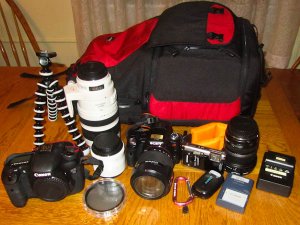

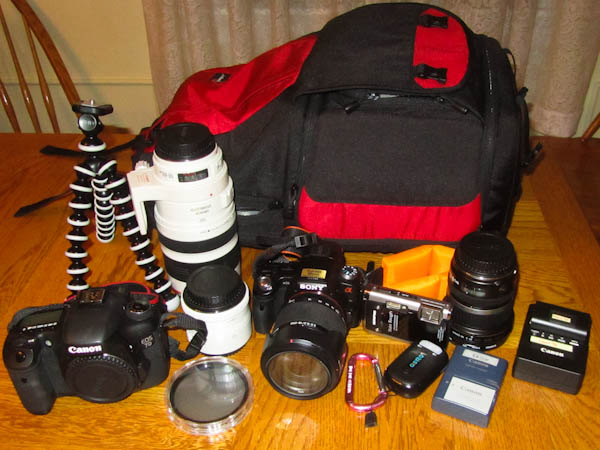
this is the equipment that I selected for shooting birds in the Everglades

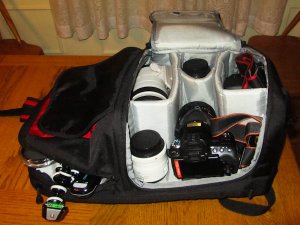
all of the equipment fits neatly into the large, padded compartment including the notebook computer

Here’s the list of equipment that fits inside:

  • Lowepro Fastpack camera backpack
  • Canon 7D camera
  • Canon 100-400mm lens
  • Canon 2X TeleExtender
  • Canon 10-22mm lens
  • Sony Alpha 55 camera
  • Sony 18-250mm lens
  • Olympus 6020 waterproof camera
  • Canon SX210 camera
  • GisTEQ GPS
  • GorillaPod
  • notebook computer
  • several battery chargers

When fully loaded, this backpack weighs about 40 pounds. It’s heavy but this backpack has wide, padded straps that cushion the weight. The upper compartment has room for a few magazines, an iPad and a some snacks – especially important on a long flight. Conveniently, the backpack fits beneath the passenger seat so that I can get to any of its contents without having to reach into the aircraft’s overhead compartment.

When I arrive at the hotel, I’ll remove the notebook computer and other non-photographic items. The backpack will then serve as a field camera case. I can comfortably take photos while wearing the backpack. If I swing one of the straps off of my arm, I can access the zippered compartment e.g. to get another lens.

I’ve been using the Lowepro for more than two years. This represents more than 100,000 miles of air travel and at no time has any of my equipment been damaged. The ballistic nylon outer surface looks almost new. I’ve also owned the Kata and Tamrac backpacks, but the Lowepro has held up the best.

I have another day of rest before I fly out of this Arctic look-alike. I hope there are some birds left in Florida for me to shoot.

Written by Arnie Lee


Posted in equipment, travel, wildlife | Tagged , , , , , , , , | 1 Comment

The origins of EXIF Data

It Can Help Improve Your Technical Skills

In some ways, I’m a hoarder.

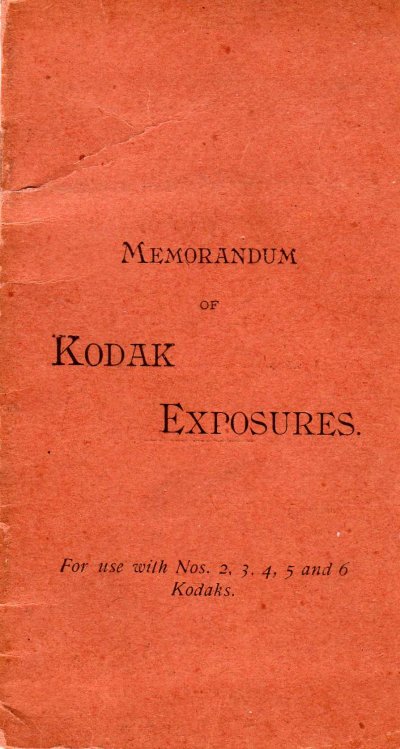
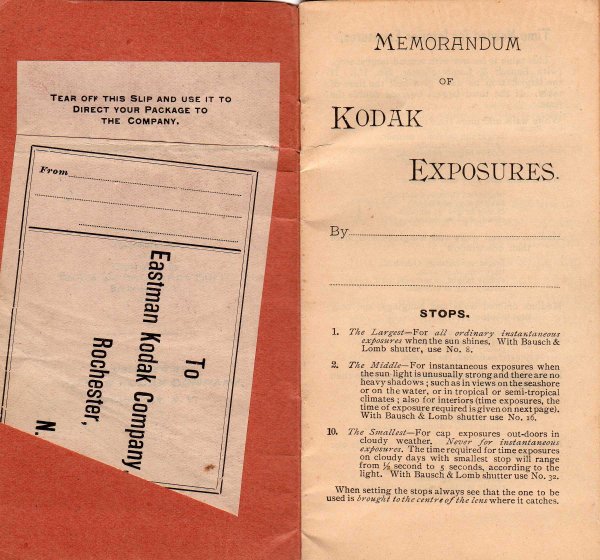
I have lots of “stuff” from my youth and earlier years stored away in boxes in the basement. The other day I was trying to locate an older photograph so was digging through a few cartons. I didn’t locate the photo, but I had another interesting find – this Memorandum.

Users of early model “Kodaks” – as the early cameras were called – were encouraged to record their exposure data for each photograph in this small booklet.

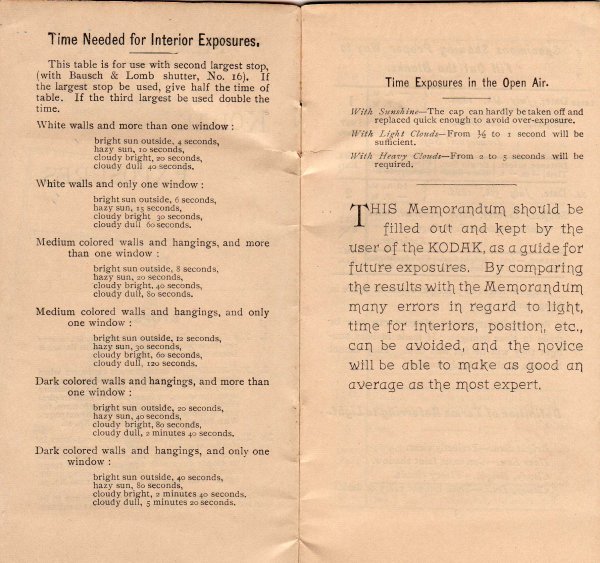
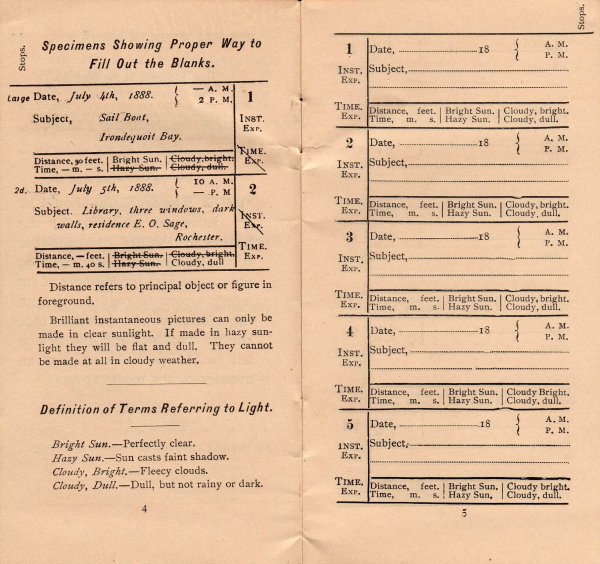
Part of the booklet contains detailed guidelines for determining the proper exposure.

In particular there are the STOPS – today we refer to these as the aperture and the TIME – the shutter speed.

Depending on the lighting conditions and by following these guidelines, the photographer would be able to produce an acceptable photograph with the Kodak.

In the other pages of the the booklet, the photographer was to record the exact conditions and settings for each of the 100 exposures.
Take a look at the date!

Yes, this booklet was published in the late 1800’s (click to enlarge the illustration). Might I suggest that this booklet is a predecessor to today’s EXIF metadata. Why was it so important to record the exposure data? In short – to minimize the cost of photography.

…introduced in 1888 (No.2 Kodak) which had a built-in 100-exposure paper roll film costing $25, a huge amount. The box camera had to be sent back to the factory once all the exposures had been used. The customers got their cameras back with new film roll loaded into it, and the image prints.

Historical information from Wikia

Back then, each photograph cost a very expensive 25 cents. So it was wise for the photographer to carefully review the prints and corresponding exposure information to improve subsequent photographs.

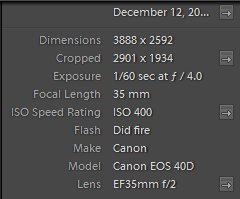
Today, the cost for an in-camera photograph is virtually free. But we can still improve our photography by reviewing the exif data – the information that is automatically recorded with each captured image.

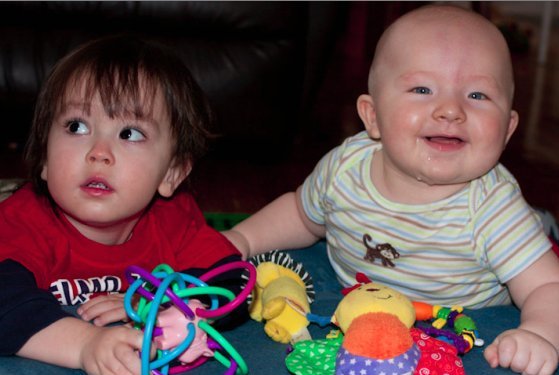
Most image editing software shows the exif data alongside the photograph. As a quick example, below you can see that the young child on the right is slightly out of focus. The exif data tells me that image was captured using an aperture of f/4.0. For the follow up photo, to insure that both children are in focus, I should use a smaller aperture e.g. f/5.6.

I frequently take this cue from the pioneer photographers of the 19th century and wisely use this metadata to improve my photography.

I’ll have more examples in a future article.


Written by Arnie Lee


Posted in informational, technical, tips | Tagged | Comments Off on The origins of EXIF Data